AI Interview
The Complete Guide to AI Interview Proctoring for Volume Hiring
Remote hiring solved one problem and quietly created another. Interviews got faster, more flexible, and scalable across geographies, but the same distance that made hiring convenient also made it easier to fake. A second monitor with pre-loaded answers. An earpiece feeding responses in real time. A stand-in who looks close enough on a low-resolution feed to pass a rushed glance. None of these require much sophistication, and none of them get caught by a recruiter who's watching a face on a scre

Remote hiring solved one problem and quietly created another. Interviews got faster, more flexible, and scalable across geographies, but the same distance that made hiring convenient also made it easier to fake.
A second monitor with pre-loaded answers. An earpiece feeding responses in real time. A stand-in who looks close enough on a low-resolution feed to pass a rushed glance. None of these require much sophistication, and none of them get caught by a recruiter who's watching a face on a screen while running through their fourth interview of the day.
So what does it actually take to verify that the candidate on the call is the candidate doing the work, and doing it honestly? That's the question AI interview proctoring exists to answer, and this guide covers it end to end: what it is, what it needs to catch, how to evaluate it, and where the technology is headed.
Table of Contents
- What Is AI Interview Proctoring?
- Why "We Have Proctoring" Isn't the Only Thing You Should Look For
- Common Cheating Methods AI Interview Proctoring Must Catch
- The Real Cost of Weak Interview Proctoring
- Five Questions Every TA Leader Should Ask Vendors
- Single-Signal vs. Multi-Signal Detection: What Actually Gets Caught
- Inside a Flag: How Multi-Signal Detection Plays Out
- Benefits of AI Interview Proctoring for Recruiters and Candidates
- Addressing Common Concerns: Privacy, Bias, and Candidate Experience
- AI Interview Proctoring by Use Case: Campus, RPO, and Enterprise Hiring
- What Recruiter-Ready Reporting Should Include
- The Future of AI Interview Proctoring
- Where BrewShield Fits In
- How to Roll Out AI Interview Proctoring in Your Hiring Stack
- Metrics to Track After Deploying AI Interview Proctoring
- Key Takeaways
- Conclusion
- Frequently Asked Questions
What Is AI Interview Proctoring?
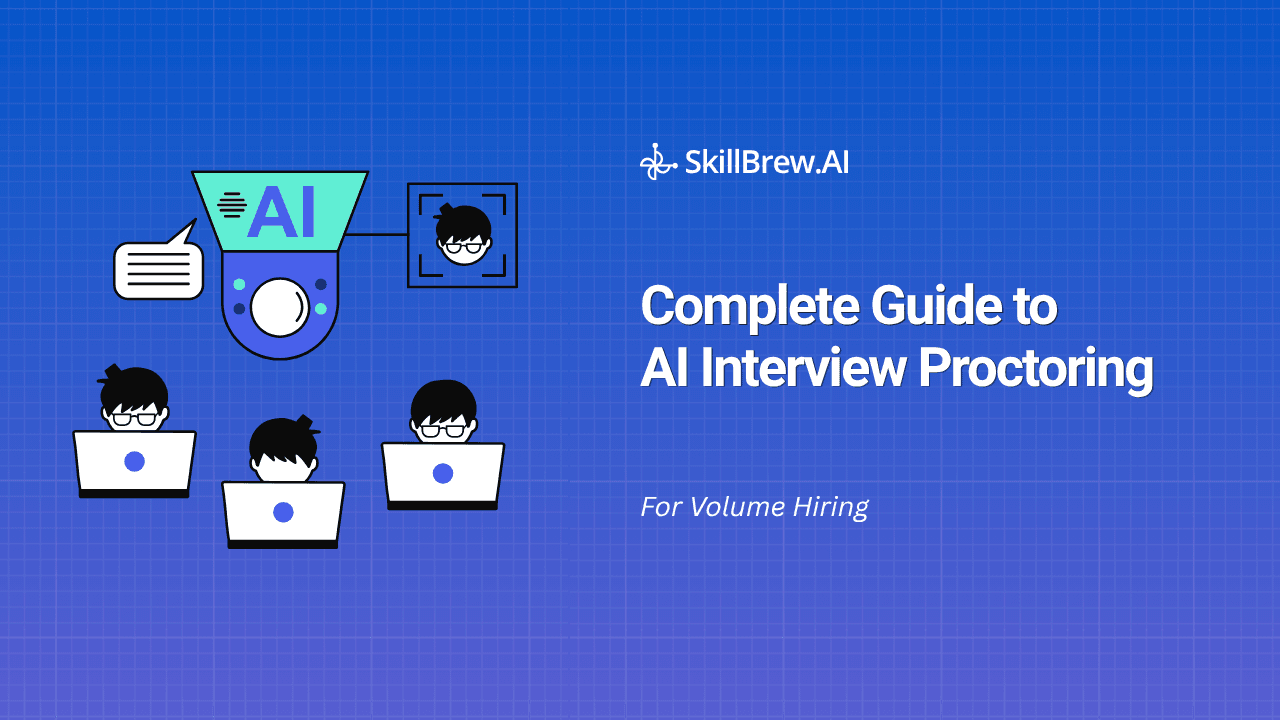
AI interview proctoring is software that monitors a candidate's camera, screen, voice, and behavior throughout a remote interview or assessment, and flags anomalies that suggest impersonation, unauthorized assistance, or other integrity breaches, in real time, without requiring a human to sit in on every call.
It's the natural evolution of exam proctoring. Online testing platforms have used webcam and browser-lockdown checks for years to prevent cheating on written exams. AI interview proctoring applies the same principle to a fundamentally different format: a live, conversational interaction where the "test" is a candidate's spoken answers, not a multiple-choice form. That difference matters. A written exam only needs to catch someone looking at notes. An interview needs to catch coordinated, real-time assistance, a second voice, a synced screen, a coached response, which is a harder detection problem entirely.
As AI-driven interviews and technical assessments have scaled to run 24/7 without a recruiter present, the need for proctoring has scaled with them. Every interview that runs unsupervised is an interview where integrity has to be verified by something other than a human watching live.
Why Adoption Is Accelerating Now
Three trends are converging to push proctoring from a nice-to-have into a baseline requirement:
- Remote and hybrid hiring is now the default, not the exception, for first and second rounds, which means the "trust gap" created by distance applies to nearly every hire, not just remote roles
- The tools available to cheat have gotten dramatically more accessible. Real-time AI chat assistants, cheap earpieces, and screen-sharing software that used to require technical setup are now a browser tab or a ten-minute purchase away
- Hiring volume keeps climbing while recruiter headcount doesn't scale proportionally, which means the manual "watch and judge" approach that worked at low volume is structurally incapable of keeping up at the volumes campus drives, RPO pipelines, and high-growth companies now run at
None of these trends are reversing. If anything, the gap between how easy it is to cheat and how thin recruiter bandwidth is gets wider every hiring cycle, which is exactly why proctoring has moved from a proctoring vendor's add-on feature to something TA leaders are now building into their core evaluation criteria for any interview platform.
Why "We Have Proctoring" Isn't the Only Thing You Should Look For
Nearly every interview platform now claims some form of proctoring. Ask what it actually does, though, and the answers get vague fast, "we monitor the candidate," "we flag suspicious behavior." Neither tells you what's being detected, or how.
The Webcam-Only Trap
A tool that only watches a webcam feed is checking one signal out of many, and it's arguably the easiest one for a candidate to satisfy. It typically misses:
- A second screen displaying answers, entirely out of camera frame
- A voice coaching responses through an earpiece
- A browser tab open to an AI assistant for real-time answers
- Screen-sharing software running invisibly in the background
None of this requires technical skill from the candidate, just a second device and the knowledge that nobody's checking beyond the camera.
What Real AI Interview Proctoring Verifies
A genuine proctoring layer isn't a single check - it's a set of independent signals cross-referenced against each other:
- Identity consistency - is the face and voice on screen the same one throughout the session, not just at the start?
- Screen activity - is the candidate switching tabs, sharing a second display, or running unauthorized software?
- Voice patterns - is there a second voice in the room, or audio inconsistent with a single speaker?
- Behavioral signals - is response timing, eye movement, or typing rhythm consistent with someone answering unaided?
This is the difference between AI interview proctoring that generates a checkbox and one that generates evidence a recruiter can actually act on.
Common Cheating Methods AI Interview Proctoring Must Catch
Understanding what candidates actually do helps explain why single-signal tools fall so short. The methods worth knowing:
- Proxy interviewing - a more skilled friend, a hired stand-in, or a colleague sits the interview instead of the actual applicant
- Second-screen answer feeding - a phone or second monitor, positioned out of camera view, displays pre-researched or AI-generated answers
- Live audio prompting - someone off-screen, or an earpiece connected to a call, feeds answers to the candidate in real time
- AI-generated responses read aloud - a candidate keeps an LLM chat window open on a second tab and reads its output back nearly verbatim
- Environment staging - printed notes taped just off-camera, or a hidden collaborator managing a second device
None of these are exotic. They're the default toolkit for anyone motivated to get through a screening stage they haven't prepared for honestly, and they're exactly why proctoring needs to look at more than a face on a webcam.
The Real Cost of Weak Interview Proctoring
It's easy to treat "candidate cheating" as an abstract risk until it shows up as a line item on a headcount plan.
Cost to the Hiring Team
- Ramp time and coaching hours spent on a hire who can't perform what they demonstrated in the interview
- A restarted search once the mismatch becomes undeniable, pushing time-to-hire backward instead of forward
- Eroded trust in the shortlist - once one missed case surfaces, recruiters start second-guessing every strong score, slowing decisions across the board
Cost to High-Volume and RPO Pipelines
At volume, the math gets worse, not better. A recruiter reviewing 150-200 interviews a week has no realistic chance of manually catching subtle, coordinated cheating without a detection system doing the first pass. For staffing firms and RPOs, the exposure compounds further, a client who discovers a proxy candidate slipped through doesn't blame the candidate. They blame the vendor who screened them.
Most cheating attempts, worth noting, aren't sophisticated. A second phone, a browser tab, a friend on standby, low-effort methods that succeed only because nothing is watching for them.
Five Questions Every TA Leader Should Ask Vendors
Before trusting any remote interview proctoring software with a hiring decision, get specific, vague marketing language should be treated as a red flag, not reassurance.
- How many signals does it actually monitor? "Camera-based" isn't an answer. Ask for the exact list, screen, voice, keystrokes, tab activity, and how each one is weighted.
- Does it work across interviews and assessments? A candidate cheating a live interview and one cheating a written technical test use different methods; proctoring built for one often misses the other entirely.
- Are flags timestamped and tied to the transcript? A flag with no context attached is just noise a recruiter learns to ignore within a week.
- Does it distinguish severity? Systems that treat every anomaly as equally suspicious generate so many false positives that recruiters stop trusting the tool altogether.
- Is it built into the platform, or bolted on? A third-party integration with its own login and export step is a step a busy recruiter will eventually skip.
If a vendor can't answer these specifically about their proctoring, assume it's closer to a checkbox on a features page than a real safeguard.
Single-Signal vs. Multi-Signal Detection: What Actually Gets Caught
Not all AI interview proctoring is built the same way, and the detection method determines what actually gets caught versus what quietly slips through.
| Approach | What It Catches | What It Misses |
| Webcam-only | Face not visible | Second screen, off-camera voice, tab-switching |
| Screen-lock only | Tab-switching within browser | Physical second device, off-screen assistance |
| Multi-signal | Coordinated cheating across channels | Near-nothing, if signals are cross-referenced |
What Single-Signal Tools Catch
Single-signal proctoring is good at catching the obvious, a candidate who's simply not visible on camera, for example. It's a low bar, and most attempts at cheating clear it easily.
What Multi-Signal Detection Adds
Multi-signal AI proctoring for interviews looks for correlation, not just presence. A candidate reading answers off a second monitor while their face and voice stay perfectly normal on camera would sail through a webcam-only check, but a tab-switch event, a response-timing anomaly, and a slight audio inconsistency firing in the same ten-second window tell a very different story when read together.
Inside a Flag: How Multi-Signal Detection Plays Out
It helps to see how this plays out inside an actual session, rather than treating it as an abstract feature list.
A candidate is mid-way through a technical assessment. Their eyes drift off-screen twice in ninety seconds, on its own, that's not flagged as anything meaningful; people glance away for all sorts of reasons. A third glance, paired with a two-second delay before answering a question they should know cold, starts to register as a pattern rather than noise. If a tab-switch event fires in that same window, the system now has three correlated signals pointing at one moment, not three isolated blips a recruiter would have to piece together by hand.
That correlated view, timestamped, tied to the exact question being answered — is what shows up in the scorecard. The recruiter isn't handed forty low-level events to interpret; they see one clearly flagged moment, severity already weighted by how many signals fired together.
This is the practical difference between AI interview proctoring that generates raw data and one that generates a decision a recruiter can actually act on.
Benefits of AI Interview Proctoring for Recruiters and Candidates
Proctoring is often framed purely as a defensive measure, but the benefits run in both directions.
For Recruiters and TA Teams
- Confidence in the shortlist - a strong score means what it's supposed to mean, without a recruiter second-guessing whether it was earned
- Defensible decisions - timestamped evidence gives recruiters something concrete to point to, rather than a gut feeling that's hard to justify to a hiring manager
- Scale without added headcount - coverage extends to every interview run, not just the ones a recruiter has time to personally observe
For Candidates
- A level playing field - candidates who prepare honestly aren't competing against someone reading off a second screen
- Faster, fairer outcomes - reduced cheating means recruiters can trust scores at face value, which shortens the review cycle for everyone in the funnel
- Clarity, not surprise - when proctoring is disclosed upfront as part of the process, most candidates treat it the same way they'd treat any other interview norm
The goal isn't to make interviews adversarial. It's to make the results trustworthy enough that both sides can rely on them.
Addressing Common Concerns: Privacy, Bias, and Candidate Experience
Proctoring done poorly raises legitimate concerns, and any TA leader evaluating it should push vendors on all three.
Privacy
Candidates are being recorded and monitored, which means data handling matters. Look for vendors who are transparent about what's captured, how long it's retained, and who has access, and who don't repurpose interview footage for anything beyond the hiring decision it was collected for.
Bias
A proctoring system that flags candidates based on appearance, lighting conditions, or unfamiliarity with a webcam setup isn't detecting cheating, it's penalizing circumstance. Signal-based detection, weighted by pattern and correlation rather than a single visual cue, reduces this risk considerably compared to systems that rely on one signal in isolation.
Candidate Experience
Proctoring that interrupts the flow of an interview, constant pop-ups, aggressive lockdown warnings, intrusive permission requests, creates friction that has nothing to do with catching cheating and everything to do with a clunky implementation. The best proctoring runs silently in the background; candidates should barely notice it's there unless something is genuinely flagged.
AI Interview Proctoring by Use Case: Campus, RPO, and Enterprise Hiring
Proctoring needs shift depending on who's being hired and at what volume.
Campus and Fresher Hiring
Campus drives can pull in 4,000+ applicants for a single cycle, screened across multiple colleges with vastly different baseline access to interview prep. Proctoring here needs to work reliably at volume and stay consistent across cohorts, since a system that only catches cheating in small batches breaks down exactly when it's needed most.
RPO and Staffing Firms
Agencies screening on behalf of a client carry a different kind of exposure, a proxy candidate who slips through doesn't just cost the agency's own credibility, it costs the client relationship. Proctoring output needs to be clean enough to hand off as evidence if a client ever questions a placement.
Enterprise and Technical Hiring
For senior or highly technical roles, the stakes per hire are higher and the volume is usually lower, which means proctoring can afford to be more thorough per session, deeper behavioral analysis, longer flag review windows, without the throughput pressure that campus and RPO hiring create.
What Recruiter-Ready Reporting Should Include
AI interview proctoring is only as useful as what lands in front of the recruiter making the shortlist decision.
Core Reporting Elements
- Timestamped flags tied to the exact interview moment, not a generic tag with no context
- Severity tiers, so a single tab switch doesn't carry the same weight as a detected second voice
- Integrity data next to the score, in the same report, not a separate export to cross-reference
- A pattern view, since one anomaly is noise but five in ten minutes is a signal
- A plain-language summary of what was flagged and why, so nobody has to interpret raw event logs to make a call
Why This Matters for Recruiters
If a recruiter has to open a second tool to check integrity after already reviewing the scorecard, the proctoring has failed at the one job it exists to do. Reporting that lives outside the workflow gets skipped the moment volume picks up which is exactly when it matters most.
The Future of AI Interview Proctoring
The technology is still moving quickly, and a few directions are worth watching for TA teams planning multi-year hiring stack decisions.
- Deeper behavioral modeling - moving beyond discrete events (tab switch, second voice) toward continuous behavioral baselines that make anomalies easier to distinguish from natural variation
- Cross-session identity verification - confirming the same candidate who did a first-round AI interview shows up for later stages, closing a gap that's currently invisible to most platforms
- Tighter integration with assessment and interview scoring - proctoring becoming one input into a unified candidate score rather than a bolted-on integrity report reviewed separately
- Regulatory clarity - as remote hiring proctoring draws more scrutiny globally, expect clearer standards around data retention, consent, and permissible use, which will separate serious vendors from ones cutting corners
None of this changes the core requirement: proctoring has to catch what matters without punishing candidates for being human.
Where BrewShield Fits In
SkillBrew.AI built BrewShield as multi-signal AI interview proctoring running inside both AI Interviews and Technical Assessments, not a bolted-on add-on with a separate login.
- 13 integrity signals across camera, screen, voice, and behavior
- Flags surface directly in the candidate scorecard, timestamped to the transcript
- No separate export or dashboard - integrity data sits alongside role fit and technical signal in one report
- Runs on every interview and assessment by default, not as a paid add-on toggled per role
- Built for the volumes Indian TA teams actually run at - campus drives, bulk lateral hiring, and RPO pipelines where a single recruiter can't manually watch every session
For TA teams evaluating anti-cheating AI interview options, the question isn't whether a vendor mentions AI interview proctoring in their feature list, it's whether the detection is specific, multi-signal, and built into the report you're already reading.
How to Roll Out AI Interview Proctoring in Your Hiring Stack
Adopting proctoring isn't a single toggle, it touches candidate communication, recruiter workflow, and reporting all at once. A practical rollout usually follows this sequence:
- Disclose it upfront. Candidates should know proctoring is part of the process before the interview starts, not discover it mid-session. This isn't just good practice, it's the difference between a trustworthy process and one that feels like a trap.
- Pilot on one role or one drive first. Run it alongside your existing process for a single campus drive or a single hiring line before rolling it out company-wide. This surfaces false-positive rates and reporting gaps while the blast radius is small.
- Set severity thresholds with recruiters, not just the vendor. What counts as a high-severity flag should reflect how your team actually makes decisions, not a generic default baked into the platform.
- Train recruiters on reading flags, not just seeing them. A flag is a starting point for judgment, not an automatic disqualifier. Recruiters need a shared understanding of what a pattern looks like versus a one-off anomaly.
- Review flagged cases periodically, not just individually. Looking at flag data in aggregate, which roles generate the most flags, which signal types fire most often, tells you more about where your funnel is vulnerable than any single case does.
Skipping the pilot step is the most common mistake. Teams that roll proctoring out across every open role on day one tend to get flooded with low-severity flags they haven't calibrated for, which is how a genuinely useful tool ends up ignored within a month.
Metrics to Track After Deploying AI Interview Proctoring
Once it's live, a handful of metrics tell you whether it's actually working:
- Flag rate by severity tier - a stable or declining high-severity flag rate over time suggests the signal is doing its job; a spiking rate warrants investigation into whether a specific role or channel is being targeted for cheating
- False-positive feedback from recruiters - track how often recruiters override or dismiss a flag as a non-issue; a high override rate signals thresholds need recalibration
- Time added to review per interview - proctoring should add seconds to a recruiter's review, not minutes; if reporting is forcing recruiters to leave the platform to investigate, that's a workflow failure, not a candidate problem
- Correlation between flags and downstream performance - for roles where you can track it, comparing flagged-but-hired candidates against clean-scored hires on ramp time and performance validates whether the signal is actually predictive
These numbers matter more than a single dramatic catch. The value here is in consistent, quiet reliability across thousands of interviews, not one headline-worthy fraud case.
Key Takeaways
Pulling this together, a few points are worth carrying into any vendor evaluation or internal rollout decision:
- Webcam-only monitoring is not proctoring, it's a single check that misses most of the ways candidates actually cheat
- Multi-signal detection, weighted by correlation and severity, is what separates a real integrity layer from a features-page checkbox
- Reporting has to live inside the recruiter's existing workflow, or it gets skipped the moment volume increases
- Rollout matters as much as the technology itself, a poorly calibrated deployment generates enough noise that recruiters stop trusting the tool
- The goal is trustworthy hiring decisions, not adversarial candidate treatment, proctoring that punishes nervousness or circumstance is doing the job wrong
Conclusion
Remote hiring isn't going away, and neither are the ways candidates try to game it. The teams that stay ahead aren't the ones running the most interviews — they're the ones who can trust the scorecards those interviews produce. AI interview proctoring isn't about treating every candidate as a suspect. It's about giving recruiters evidence instead of a gut feeling, so a strong score means what it's supposed to mean, whether you're running a campus drive, an RPO pipeline, or a single senior technical hire.
Frequently Asked Questions
What should I actually look for in AI interview proctoring, beyond a vendor saying they "have it"?
Multi-signal AI interview proctoring, camera, screen, voice, and behavior together, with timestamped flags tied to the transcript, severity tiers, and integrity data integrated into the same report as the candidate score.
Is webcam-only proctoring enough to prevent interview cheating?
No. Webcam-only monitoring misses second screens, off-camera prompting, and tab-switching to outside resources, the most common ways candidates cheat remote interviews today.
Does AI interview proctoring add extra steps to the hiring workflow?
It shouldn't. Well-built proctoring reports flags in the same scorecard recruiters already review, no separate export or tool required.
Can AI interview proctoring distinguish nervousness from actual cheating?
Well-built systems weigh severity and pattern rather than flagging every anomaly equally, so a single glance away isn't treated the same as a detected second voice or a correlated multi-signal event.
Does proctoring work the same way for technical assessments as for interviews?
It should. BrewShield runs identical multi-signal AI interview proctoring across both AI Interviews and Technical Assessments, so integrity coverage doesn't drop depending on format.
How does this hold up at high volume, campus drives, RPO pipelines, hundreds of candidates a week?
That's the exact scenario proctoring needs to justify itself in. Manual review breaks down past a handful of daily interviews; automated, multi-signal detection runs identically whether it's screening 20 candidates or 2,000, without added headcount.
Does AI interview proctoring raise privacy concerns?
It can, if a vendor isn't transparent about data handling. Ask what's captured, how long it's retained, and whether footage is used beyond the hiring decision it was collected for before trusting any provider with candidate data.
Will AI interview proctoring flag candidates unfairly for things like poor lighting or an unfamiliar webcam setup?
Systems relying on a single visual signal are more prone to this. Multi-signal detection, weighted by pattern and correlation rather than one isolated cue, is significantly less likely to penalize circumstance instead of actual integrity breaches.
See BrewShield's proctoring in action. Book a live demo →
We'll show you exactly what gets flagged, and what a clean report looks like.
See AI-powered hiring in action
Discover how SkillBrew helps hiring teams cut time-to-hire by 60% with skill-validated assessments and AI-ranked shortlists.
Book a free demoNo commitment required · 30 minutes
Continue reading
View All Posts