Recruitment Automation & Workflow
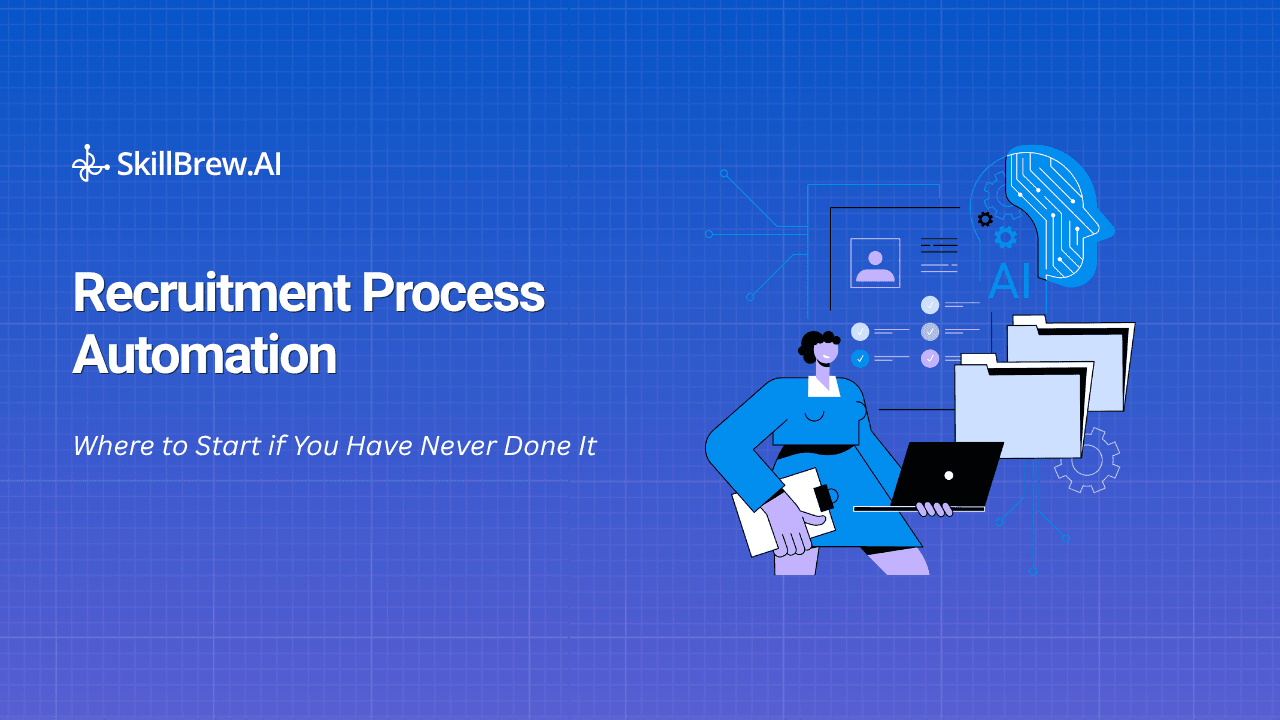
Recruitment Process Automation: Where to Start if You Have Never Done It
Most talent acquisition teams don't struggle with automation because they lack tools. They struggle because they don't know where to begin. They've read about AI-powered recruitment, automated screening, and workflow software. They know hiring can be more efficient. But when it's time to actually take action, one question always comes up: Where should we actually start? That question is the entire reason recruitment process automation beginner guides exist — because the good news is that recr
Most talent acquisition teams don't struggle with automation because they lack tools. They struggle because they don't know where to begin.
They've read about AI-powered recruitment, automated screening, and workflow software. They know hiring can be more efficient. But when it's time to actually take action, one question always comes up:
Where should we actually start?
That question is the entire reason recruitment process automation beginner guides exist — because the good news is that recruitment process automation beginner programs don't require rebuilding your entire hiring workflow overnight. In fact, the teams that see the best results almost always start with a single bottleneck, and solve it well.
In this guide, you'll learn everything a recruitment process automation beginner needs to get moving:
- How to identify the right process to automate first
- Why pre-screening is usually the best starting point
- How to choose an automation tool without adding complexity
- Common mistakes teams make during implementation
- A practical roadmap to get started
Table of Contents
- Why Most Recruitment Teams Get Stuck Before They Start
- How to Identify the Best Process to Automate
- Why Pre-Screening Is the Right First Automation Project
- How to Choose Your First Recruitment Automation Tool
- Common Mistakes First-Timers Make
- What Automation Looks Like for Teams of Different Sizes
- Your 60-Day Recruitment Process Automation Plan
- Frequently Asked Questions
Why Most Recruitment Teams Get Stuck Before They Start
Most conversations about recruitment process automation jump straight to AI screening, chatbots, automated assessments, and predictive hiring models. There's one problem: most teams haven't fully mapped their existing process before trying to automate it.
Automation doesn't fix broken workflows. It just makes those workflows move faster — broken or not.
Before you invest in any tool, take a step back and look at how your hiring process actually works today. Not how it's documented, how it actually runs during a typical hiring cycle. This is step one for any recruitment process automation beginner.
Look for These Three Areas
Every recruitment process automation beginner should scan their funnel for three specific patterns before touching any software.
1. Repetitive Tasks Tasks that happen the same way for every candidate:
- Resume reviews
- Candidate qualification checks
- Sending follow-up emails
- Scheduling screening calls
These are usually the easiest to automate and deliver the fastest return.
2. Handoff Gaps These show up when work stalls waiting on another team member:
- Recruiters waiting on hiring manager feedback
- Candidates waiting on scheduling confirmations
- Delays in assessment reviews
Automation reduces these delays and keeps candidates actually moving through the pipeline.
3. Volume Bottlenecks Every hiring process has a stage where work piles up faster than it gets cleared. For most organizations, that's the top of the funnel:
- Application review
- Initial candidate screening
- Qualification checks
This is usually where automation delivers the biggest, fastest impact, and where a recruitment process automation beginner should be looking first.
The Rule of Thumb: Start with the task that's both high volume and highly repetitive. That's your strongest candidate for automation.
Why Pre-Screening Is the Right First Automation Project
Here's where most recruitment process automation beginner mistakes happen: teams try to automate too much, too fast. That's usually where the whole project stalls out.
Instead of transforming the entire recruitment workflow at once, focus on one stage: pre-screening.
Specifically, automate the process between Application Submitted → Recruiter Review. This stage eats an enormous amount of recruiter time while delivering relatively little strategic value on its own.
The Screening Problem, By the Numbers
Consider a role that receives 200 applications. Depending on complexity, recruiters may spend anywhere from 80 to 120 hours manually reviewing and qualifying candidates for that one role alone.
At scale, those hours multiply fast. For a team hiring across 20 roles a month:
- 200 applicants per role
- 20 open roles
- Thousands of candidate profiles to review
Manual screening simply becomes unsustainable, which is exactly why pre-screening is the natural entry point for any recruitment process automation beginner.
Why Pre-Screening Delivers Fast Results
Automated pre-screening can:
- Ask qualification questions automatically
- Evaluate responses against predefined criteria
- Rank candidates based on fit
- Move qualified applicants straight to recruiter review
Many talent acquisition teams report cutting screening effort by 60-70% within the first 60-90 days of implementation. More importantly, recruiters get their time back for where they create the most value: candidate engagement, hiring manager collaboration, final-stage evaluations, and relationship building.
How to Choose Your First Recruitment Automation Tool
The recruitment technology market is crowded. Plenty of vendors claim to automate the entire hiring lifecycle, but not every solution is the right fit when you're just getting started. This is where most recruitment process automation beginner shortlists go wrong: too many features, not enough focus.
Instead of evaluating dozens of features, a recruitment process automation beginner should focus on three questions.
Does the Tool Solve Your Biggest Bottleneck? Automation should target your most significant hiring challenge, not a hypothetical one.
- Too many applications? → Pre-screening automation
- Scheduling delays? → Interview scheduling software
- Assessment bottlenecks? → Automated testing platforms
Don't buy a solution for a problem you don't have yet.
Can It Work with Your Existing ATS? Your first automation tool should slot into your current workflow, not force you to rebuild it. The best solutions:
- Integrate with existing ATS platforms
- Require minimal workflow changes
- Pass qualified candidates back into your current systems
Is Implementation Realistic? A beginner-friendly automation solution should be up and running quickly. Look for tools that can:
- Launch within days or weeks
- Require minimal technical support
- Work without extensive customization
If implementation takes months, you're likely solving the wrong problem first.
Common Mistakes First-Timers Make
Even with the right technology, recruitment process automation beginner projects can fail because of execution mistakes, not the tooling itself. Here are the ones that show up most often.
Mistake #1: Automating an Undocumented Process
Most recruiters know what a qualified candidate looks like, the problem is the criteria often live only in their heads. Before automating, document:
- Required qualifications
- Preferred experience
- Knockout criteria
- Screening questions
Automation performs best when the decision criteria are clearly spelled out.
Mistake #2: Failing to Communicate with Candidates
Candidates notice automation. If they receive screening questions with no context, they may assume the process is impersonal. A simple explanation improves completion rates dramatically:
"To speed up the review process and ensure every application receives consistent evaluation, we use a short pre-screening assessment before recruiter review."
Transparency builds trust.
Mistake #3: Measuring the Wrong Metrics Too Early
Most teams immediately ask, "How many hours did we save?" That's not the metric that matters most early on. Ask instead: "Are we getting the same or better candidate quality with less recruiter effort?" If shortlist quality drops, the problem is usually screening design, not the automation itself.
Mistake #4: Expanding Too Quickly
A common pattern:
- Week 1: Launch screening automation
- Week 2: Add scheduling automation
- Week 3: Add reporting dashboards
- Week 4: Add candidate nurturing workflows
Soon, nobody can tell what's actually working. Start with one automation layer. Run it for 60 days. Improve it. Then expand.
What Automation Looks Like for Teams of Different Sizes
One of the biggest misconceptions is that automation is only for enterprise hiring teams. That's no longer true, recruitment process automation beginner setups scale down just as easily as they scale up, whether you're a five-person agency or a 50-person TA org.
Small Staffing Agencies Teams of three to five recruiters often use automation to manage high-volume hiring campaigns efficiently, without adding headcount.
Mid-Sized Talent Acquisition Teams Growing organizations frequently automate pre-screening, skills assessments, and candidate qualification workflows first.
Startup Founders Many founders spend 10-20 hours a week on screening calls alone. Simple automation workflows can dramatically cut that burden while maintaining candidate quality.
The barrier to entry has never been lower. A basic automated pre-screening process can often go live within a week. The real work isn't configuring the software, it's defining what success looks like, which criteria matter most, and how candidates should be evaluated.
Your 60-Day Recruitment Process Automation Plan
If you're a recruitment process automation beginner wondering where to start, keep it simple. This is the exact roadmap that turns "we should automate something" into a working system in under two months.
Step 1: Choose One High-Volume Role - Pick the position that receives the most applications.
Step 2: Define Qualification Criteria - Document exactly what makes a candidate shortlist-worthy.
Step 3: Implement Pre-Screening Automation - Use structured questions, automated follow-ups, and scoring criteria.
Step 4: Run for 60 Days - Avoid adding new automation layers during this period.
Step 5: Measure Results - Compare time-to-shortlist, recruiter effort, candidate quality, and conversion rates.
Use the data to identify the next bottleneck. Then automate that. That's the entire recruitment process automation beginner playbook, one bottleneck at a time.
Conclusion
Recruitment process automation doesn't begin with AI interviews, advanced analytics, or an end-to-end workflow redesign. It begins with one bottleneck. For most teams, that's candidate pre-screening.
Start with your highest-volume role. Define your screening criteria. Automate the first stage of candidate qualification. Measure the results. Once you've proven value in one area, expanding automation gets significantly easier, which is the whole point of thinking like a recruitment process automation beginner instead of trying to skip straight to an enterprise rollout.
The goal for any recruitment process automation beginner isn't to automate everything. It's to automate the right thing first.
Looking to Automate Candidate Pre-Screening?
If your team is still manually screening high volumes of candidates, SkillBrew.AI's Technical Assessments help recruiters identify qualified talent faster, working alongside your existing ATS without forcing you to replace your current hiring workflow. Pair it with HireFlow, SkillBrew.AI's always-free orchestration layer, to keep qualified candidates moving without extra manual steps.
Book a demo → and see what a real recruitment process automation beginner project looks like on your own hiring pipeline.
Frequently Asked Questions
What is recruitment process automation?
Recruitment process automation refers to using technology to automate repetitive hiring tasks, candidate screening, interview scheduling, qualification checks, assessments, and communication workflows.
What should companies automate first in recruitment?
For most organizations, and especially for any recruitment process automation beginner, candidate pre-screening is the best starting point because it's typically the most repetitive and time-consuming stage of the hiring process.
Can small recruitment teams benefit from automation?
Yes. Even teams with just a few recruiters can significantly cut administrative workload by automating high-volume tasks like screening and candidate follow-ups.
How much time can recruitment automation save?
Results vary, but teams commonly report reducing manual screening effort by 60-70% after implementing automated pre-screening workflows.
Will automation replace recruiters?
No. Automation removes repetitive administrative work, freeing recruiters to focus on relationship building, candidate engagement, hiring manager collaboration, and strategic decision-making.
How do I know if my hiring process is ready for automation?
Your process is ready when you have clearly defined hiring criteria, documented workflows, and a clear understanding of where delays and bottlenecks occur in the funnel, the same checklist every recruitment process automation beginner should work through before choosing a tool.
See AI-powered hiring in action
Discover how SkillBrew helps hiring teams cut time-to-hire by 60% with skill-validated assessments and AI-ranked shortlists.
Book a free demoNo commitment required · 30 minutes
Continue reading
View All Posts