Recruitment Automation & Workflow
Recruitment Automation: Which Workflows Are Ready for AI and Which Are Not
Recruitment teams are under constant pressure to hire faster without sacrificing candidate quality. As application volumes grow and hiring teams manage multiple roles at once, recruitment automation workflows have become an increasingly practical way to reduce repetitive work. But automation does not mean every recruitment task should be handed over to AI. Some workflows are highly structured, repetitive, and easy to evaluate. These are strong candidates for automation. Others depend on contex

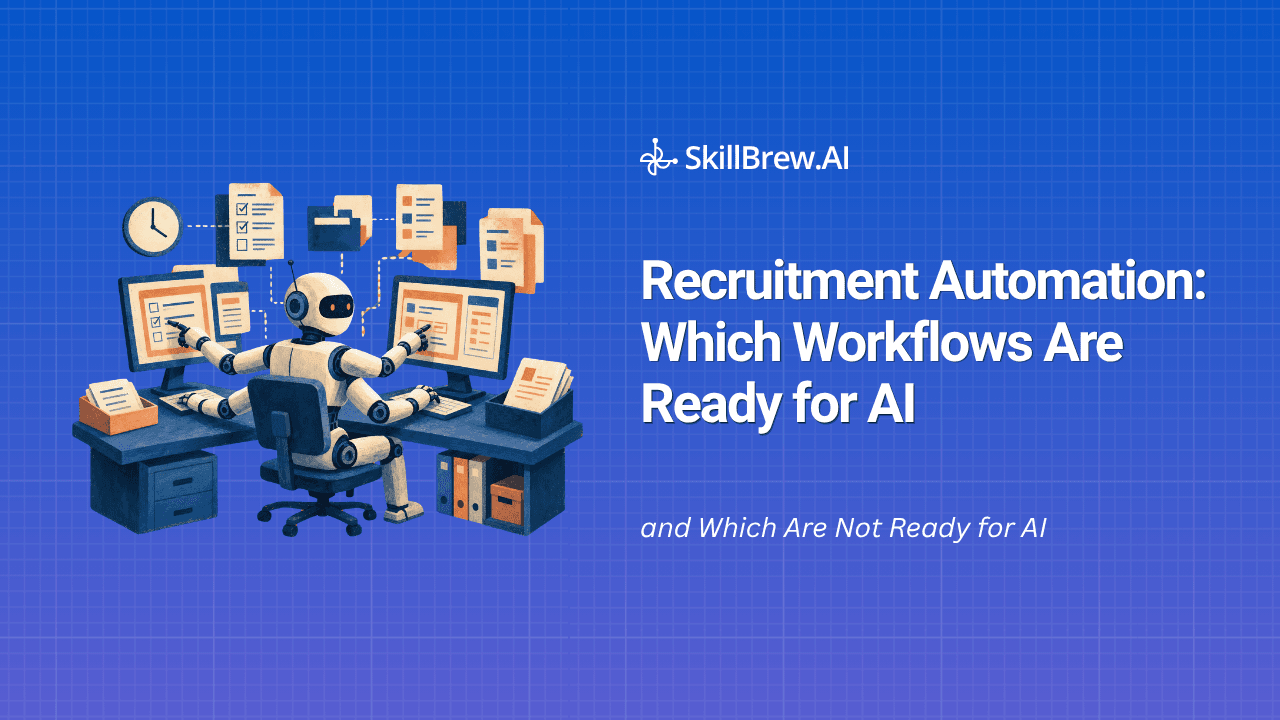
Recruitment teams are under constant pressure to hire faster without sacrificing candidate quality. As application volumes grow and hiring teams manage multiple roles at once, recruitment automation workflows have become an increasingly practical way to reduce repetitive work.
But automation does not mean every recruitment task should be handed over to AI.
Some workflows are highly structured, repetitive, and easy to evaluate. These are strong candidates for automation. Others depend on context, empathy, negotiation, or nuanced judgment, where human involvement remains essential.
The challenge isn't deciding whether to use AI. It's deciding where AI should take over, where it should assist, and where recruiters should remain firmly in control.
What This Guide Covers
- What Are Recruitment Automation Workflows?: A working definition and a simple example of what an automated hiring process looks like.
- Why a Workflow-First Approach Matters: The traits that make a task a good fit for automation in the first place.
- Which Recruitment Workflows Are Ready for AI?: Five tasks, from resume screening to ATS updates, plus a quick-reference readiness table.
- Which Workflows Still Need Humans?: Four decisions where judgment and empathy still have to lead.
- Automate vs. Augment vs. Human-Led: A simple model for categorizing any hiring task.
- What to Check Before Automating: Four questions to ask before trusting AI with a workflow: accuracy, bias, explainability, and human override.
- Example: An AI-Assisted Recruitment Workflow: An eight-step human-in-the-loop process end to end.
- How to Start Automating: A seven-step rollout plan for teams starting from scratch.
- FAQs: Quick answers on where AI fits and where it doesn't.
What Are Recruitment Automation Workflows?
Recruitment automation workflows are structured hiring processes where repetitive tasks are handled automatically using software, rules, artificial intelligence, or integrations between recruiting systems.
A typical automated workflow might look like:
Job created → Applications received → Candidates screened → Qualified candidates shortlisted → Interviews scheduled → Feedback collected → Candidates moved through the hiring pipeline
Automation can support individual steps or connect several steps into one workflow.
For example, instead of a recruiter manually reviewing hundreds of resumes, an AI screening system can analyze candidate information against predefined job requirements and identify candidates who meet the basic criteria.
The goal isn't to remove recruiters from the process. It is to remove unnecessary manual work so recruiters can spend more time on decisions that require human expertise.
Why a Workflow-First Approach Matters
A common mistake is adopting an AI tool simply because it can automate a particular task, without first mapping how it fits into the broader hiring process a team already runs.
The better question is:
Where does automation create measurable value in the hiring workflow without introducing unnecessary risk?
A good candidate for automated hiring processes usually has four characteristics:
- The task is repetitive.
- The inputs and outputs are relatively predictable.
- Success can be measured using clear criteria.
- The task doesn't require significant human empathy or judgment.
For example, interview scheduling checks all four boxes. Recruiters spend time coordinating calendars, but the task itself is structured and measurable.
Candidate rejection decisions, however, can be more complex. Even when AI helps identify candidates who don't meet certain requirements, recruiters may still need to review the context before making a final decision.
This distinction is what separates automation that actually saves time from automation that simply moves the manual work somewhere else.
Which Recruitment Workflows Are Ready for AI?
Before getting into each task individually, here's a quick-reference view of which recruitment automation workflows are strong for AI today and where recruiters still need to lead:
| Workflow Stage | AI Readiness | Human Role |
| Resume screening | High | Review edge cases |
| Candidate pre-screening | High | Review qualified candidates |
| Interview scheduling | Very high | Exception handling |
| Routine communication | High | Handle sensitive cases |
| ATS updates | Very high | Oversight |
| Final candidate selection | Low | Decision owner |
| Complex interviews | Medium | Lead the interview |
| Offer negotiation | Low | Lead negotiation |
1. Resume Screening and Candidate Shortlisting
Resume screening is one of the strongest use cases among recruitment automation workflows. It's particularly well suited to AI because the initial evaluation can be based on structured job requirements and repeatable criteria, not subjective impressions that vary recruiter to recruiter.
Recruiters may need to review hundreds or thousands of applications for a single role. Manually comparing every resume against job requirements is time-consuming and can lead to inconsistent screening.
AI can help analyze resumes based on factors such as:
- Required skills
- Years of experience
- Relevant job history
- Education or certifications
- Industry experience
- Role-specific keywords
- Location or work authorization requirements
AI can then prioritize candidates who appear to match the role requirements. However, the system should assist with prioritization rather than automatically reject candidates based on a single score. Recruiters should be able to review the reasoning, adjust criteria, and evaluate edge cases.
Best approach: Automate the initial screening and prioritization while keeping recruiters involved in final shortlisting.
2. Candidate Pre-Screening
Initial candidate screening is another area where AI can significantly reduce recruiter workload.
Instead of recruiters manually contacting every applicant with the same basic questions, AI-powered screening tools can collect structured information about:
- Availability
- Location
- Work experience
- Salary expectations
- Notice period
- Relevant skills
- Communication ability
- Role-specific qualifications
For high-volume hiring, AI voice agents can also conduct initial conversations with candidates. This is especially valuable for high-volume or frontline hiring, where recruiters may otherwise spend hours conducting the same initial phone-screen questions across hundreds of candidates. SkillBrew.AI's BrewVoice is one example built specifically for this, conducting outbound screening calls at scale and returning structured candidate signals to recruiters.
The important distinction is between screening and selection. AI can collect signals and identify candidates who meet predefined criteria. A recruiter can then review stronger candidates before moving them to deeper interviews.
Best approach: Automate repetitive pre-screening while keeping human review for consequential hiring decisions.
3. Interview Scheduling
Interview scheduling is perhaps one of the easiest recruitment automation workflows to set up.
The process is usually straightforward:
Candidate passes screening → Interview availability is collected → Interviewer calendar is checked → Time is selected → Confirmation is sent
Automation can handle:
- Calendar coordination
- Candidate reminders
- Interview confirmations
- Rescheduling
- Time-zone management
- Follow-up notifications
Unlike candidate evaluation, scheduling generally doesn't require nuanced human judgment.
Best approach: Fully automate wherever possible.
4. Candidate Communication and Follow-Ups
Recruiters spend a significant amount of time sending repetitive messages.
Examples include:
- Application acknowledgements
- Interview reminders
- Scheduling links
- Status updates
- Requests for missing information
- Follow-up messages
- Re-engagement messages
AI and workflow automation can handle many of these interactions automatically while maintaining consistent messaging.
However, communication becomes more sensitive when candidates ask questions about rejection decisions, compensation, accommodations, or other personal circumstances.
Best approach: Automate routine communication and route sensitive conversations to recruiters.
5. Candidate Data Entry and ATS Updates
Recruiters shouldn't have to manually update every candidate status after each hiring activity.
Automation can synchronize information across recruitment systems and update candidate records when predefined events occur.
For example:
Assessment completed → Candidate status updated → Recruiter notified
Or:
Interview completed → Feedback request sent → Candidate record updated
These recruitment automation workflows reduce administrative overhead and improve data consistency.
Best approach: Automate repetitive data movement and system updates.
Which Workflows Still Need Humans?
Not every recruitment activity should be automated. Some decisions depend heavily on context, relationships, and judgment.
1. Final Candidate Selection
AI can rank candidates, summarize interviews, and identify relevant signals. But the final hiring decision can involve factors that aren't easily captured by structured data.
Recruiters and hiring managers may need to consider:
- Team dynamics
- Career trajectory
- Motivation
- Leadership potential
- Cultural contribution
- Unique experience
- Business priorities
AI can support this decision, but replacing human accountability with an automated score creates unnecessary risk.
Best approach: Use AI as decision support, not the final decision-maker.
2. Complex Interviews
Structured interviews with predictable questions can benefit from automation. But interviews involving nuanced behavioral assessment, senior leadership, conflict resolution, or highly specialized expertise often require human interaction.
A human interviewer can ask follow-up questions based on subtle answers, challenge assumptions, and explore unexpected areas.
AI can still assist by generating summaries or highlighting relevant interview signals.
Best approach: Keep complex interviews human-led and use AI for preparation, documentation, and analysis.
3. Compensation and Offer Negotiation
Offer negotiation is highly contextual. Candidates may have different motivations, competing offers, career priorities, or personal circumstances.
A scripted AI workflow can handle standardized information, but negotiation often requires flexibility and relationship management.
Best approach: Automate administrative offer workflows but keep negotiation human-led.
4. Sensitive Candidate Conversations
Recruitment involves people, and some situations require empathy.
Examples include:
- Explaining a difficult rejection
- Discussing accommodations
- Handling candidate concerns
- Resolving misunderstandings
- Communicating changes to an offer
- Addressing sensitive feedback
Automation can assist recruiters, but these interactions should have a clear human escalation path.
Best approach: Use AI for routine communication and immediately involve humans when conversations become sensitive or complex.
Automate vs. Augment vs. Human-Led
Rather than asking "can this be automated," it helps to sort every one of your recruitment automation workflows into one of three categories.
Ask these four questions about any workflow:
- Is the task repetitive?
- Are the inputs predictable?
- Can success be measured objectively?
- Does the task require significant empathy, negotiation, or human judgment?
The more "yes" answers you get to questions 1 through 3, and the more "no" you get to question 4, the stronger the automation opportunity. A task that's repetitive and predictable but also requires real judgment isn't a clean automation candidate. It's a candidate for AI-assisted support with a human still making the call.
That gives you three practical categories:
Automate: Tasks that are repetitive, structured, and low-risk.
Examples: interview scheduling, candidate reminders, ATS updates, application acknowledgements, routine follow-ups.
Augment: Tasks where AI can provide significant assistance but humans should remain involved.
Examples: resume screening, candidate pre-screening, interview summaries, candidate ranking, job description creation.
Keep Human-Led: Tasks where judgment, empathy, or accountability are critical.
Examples: final hiring decisions, complex interviews, compensation negotiation, sensitive candidate conversations.
What to Check Before Automating a Recruitment Workflow
Before handing any of your recruitment automation workflows over to AI, it's worth checking it against four things. This matters because not every automation opportunity is a good one, and a tool that works well in a demo can still create problems at scale.
Accuracy
Does the AI consistently produce useful, correct results across different candidate profiles, not just the ones it was tested on?
Bias
Could the workflow systematically disadvantage certain candidates, for example by weighting criteria that correlate with protected characteristics rather than job performance?
Explainability
Can recruiters understand why the system produced a particular recommendation or score, or is it a black box they're expected to trust blindly?
Human override
Can recruiters review, adjust, or overrule the AI's output before it affects a candidate's outcome?
A workflow that fails on any of these four points needs more human oversight, regardless of how repetitive or high-volume the task is.
Example: An AI-Assisted Recruitment Workflow
So what does this look like when the pieces are connected? Instead of trying to automate the entire hiring process, recruitment teams can build a human-in-the-loop workflow.
A practical workflow might look like this:
1. Job created
Recruiter defines role requirements and screening criteria.
2. Applications collected
Candidates enter the recruitment funnel.
3. AI screening
AI evaluates resumes and/or candidate responses against predefined criteria.
4. Automated pre-screening
Candidates answer basic qualification questions through an assessment, chatbot, or AI voice interaction.
5. Recruiter review
Recruiter reviews the strongest candidates and AI-generated insights.
6. Human interview
Qualified candidates move to deeper interviews.
7. AI-assisted interview analysis
Interview summaries, transcripts, and structured signals are generated automatically.
8. Human decision
Recruiter and hiring manager make the final selection.
This model combines the speed of automation with the judgment of human recruiters.
How to Start Automating Recruitment Workflows
Recruitment teams don't need to automate everything at once. Start with the biggest sources of repetitive work.
Step 1: Map the current hiring process
Document every step from job creation to offer.
Step 2: Measure the manual effort
Identify where recruiters spend the most time, and where delays are affecting time-to-screen, time-to-interview, or time-to-hire.
Step 3: Identify repetitive tasks
Look for tasks that follow predictable rules and happen frequently.
Step 4: Automate low-risk workflows first
Scheduling, reminders, data entry, and routine communication are good starting points for teams new to recruitment automation workflows.
Step 5: Introduce AI into screening
Once the basic workflow is stable, AI can support resume screening and candidate pre-screening.
Step 6: Keep human checkpoints
Define exactly where recruiters must review, approve, or override AI-generated recommendations.
Step 7: Measure outcomes
Track metrics such as:
- Time to screen
- Time to hire
- Recruiter hours saved
- Screening completion rate
- Interview-to-hire ratio
- Candidate response rate
- Quality of hire
Automation should be measured by outcomes, not simply by the number of tasks automated.
FAQs
Q1. What are recruitment automation workflows, in simple terms?
They're the structured, repeatable parts of hiring, like screening, scheduling, and status updates, handled by software or AI instead of manually by a recruiter for every candidate.
Q2. Which recruitment automation workflows should a team automate first?
Start with low-risk, high-volume tasks such as interview scheduling, candidate reminders, ATS updates, and routine communication. These rarely need human judgment and free up recruiter hours immediately.
Q3. Can AI hiring automation replace recruiters entirely?
No. Workflows that involve empathy, negotiation, or final hiring decisions still need a human in the loop. AI handles volume and repetition; recruiters handle judgment and relationships.
Q4. How do I know if a workflow is ready for automation?
Ask four questions: is it repetitive, are the inputs predictable, can success be measured objectively, and does it require empathy or judgment? If a task scores well on the first three and poorly on the last, it's a strong candidate for automation.
Q5. Do recruitment automation workflows work for high-volume hiring?
Yes, and that's usually where they matter most. Teams managing hundreds of applications per role rely on recruitment automation workflows for screening and pre-screening simply because manual review doesn't scale past a certain volume.
The Future of Recruitment Automation Is Human + AI
The goal of recruitment automation isn't to replace recruiters. It's to create a hiring workflow where AI handles volume and repetition while recruiters focus on judgment, relationships, and decisions.
The strongest recruitment automation workflows are therefore hybrid. AI can screen thousands of applications, conduct structured pre-screening conversations, schedule interviews, summarize candidate interactions, and keep recruitment systems updated. Recruiters can focus on understanding candidates, evaluating complex situations, advising hiring managers, and making final decisions.
The question isn't whether a recruitment workflow can be automated. The better question is:
Should it be automated, and where should human judgment remain in control?
Organizations that answer that question carefully can use AI to make recruitment faster and more scalable without turning hiring into an impersonal, fully automated process. That's the same principle SkillBrew.AI is built around: automate the repetitive parts of the hiring process, and keep recruiters in control of the decisions that need judgment. See how it works.
See AI-powered hiring in action
Discover how SkillBrew helps hiring teams cut time-to-hire by 60% with skill-validated assessments and AI-ranked shortlists.
Book a free demoNo commitment required · 30 minutes
Continue reading
View All Posts